01
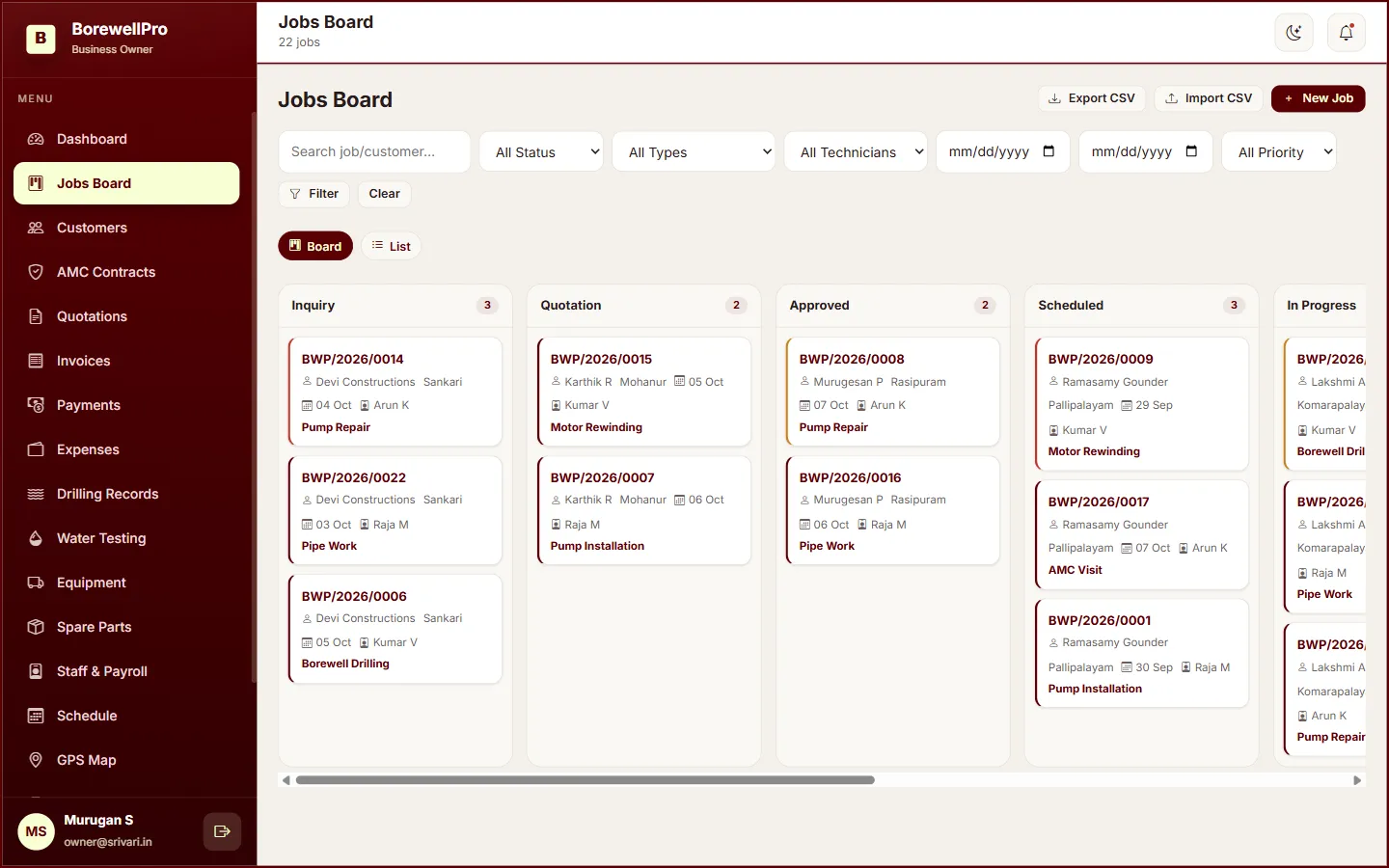
Job Management
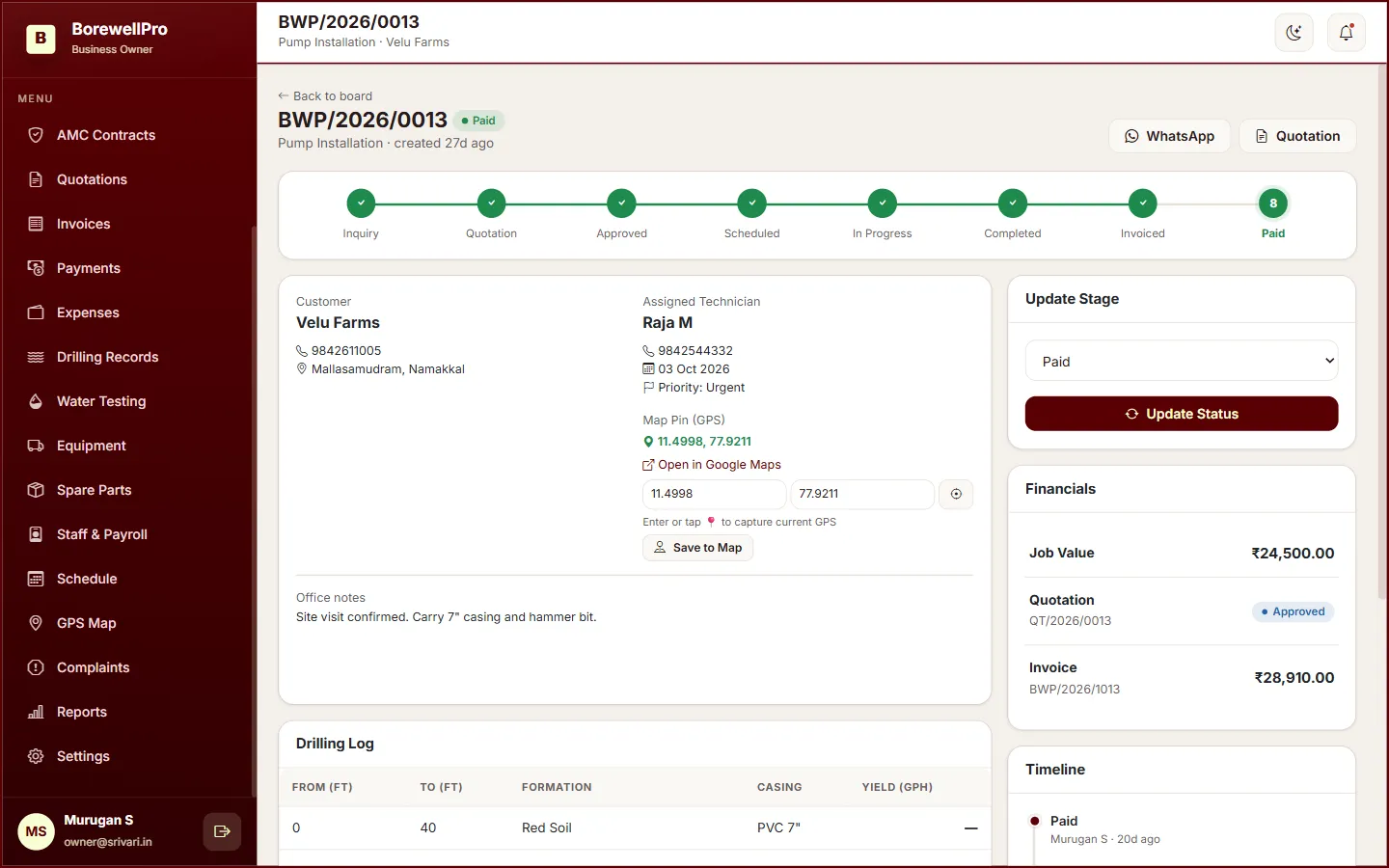
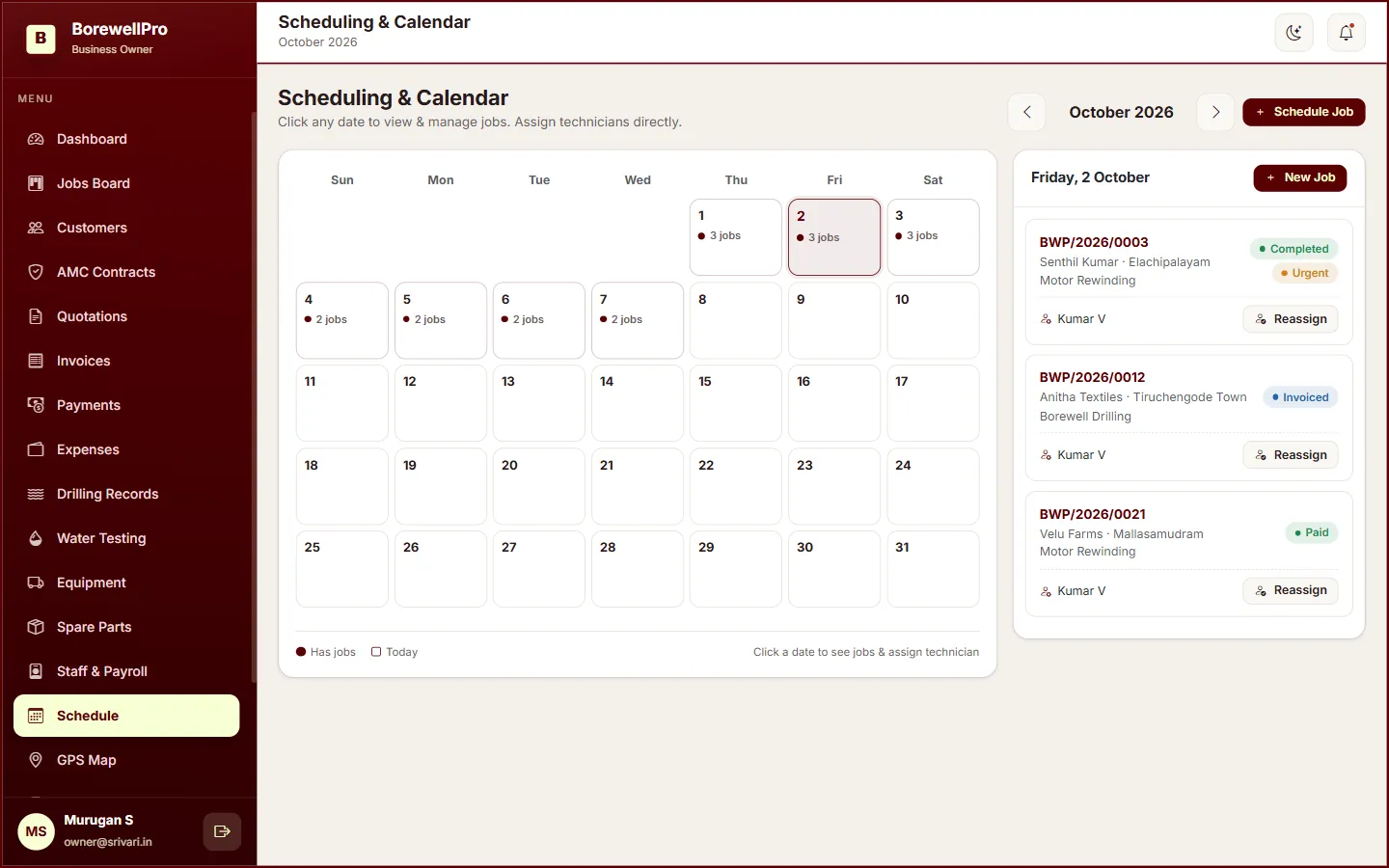
Inquiries through paid jobs on one board, with a calendar to schedule the crew.
Borewell Service Management Software
BorewellPro is built for borewell contractors — jobs, drilling logs, GST invoices, AMC, staff and reports in one workspace your owner, technicians and customers can actually use.
Jobs • Drilling • Billing • GPS • AMC • Payroll • Reports
Platform
The modules your team already opens every day — not a generic CRM with the labels swapped.
Inquiries through paid jobs on one board, with a calendar to schedule the crew.
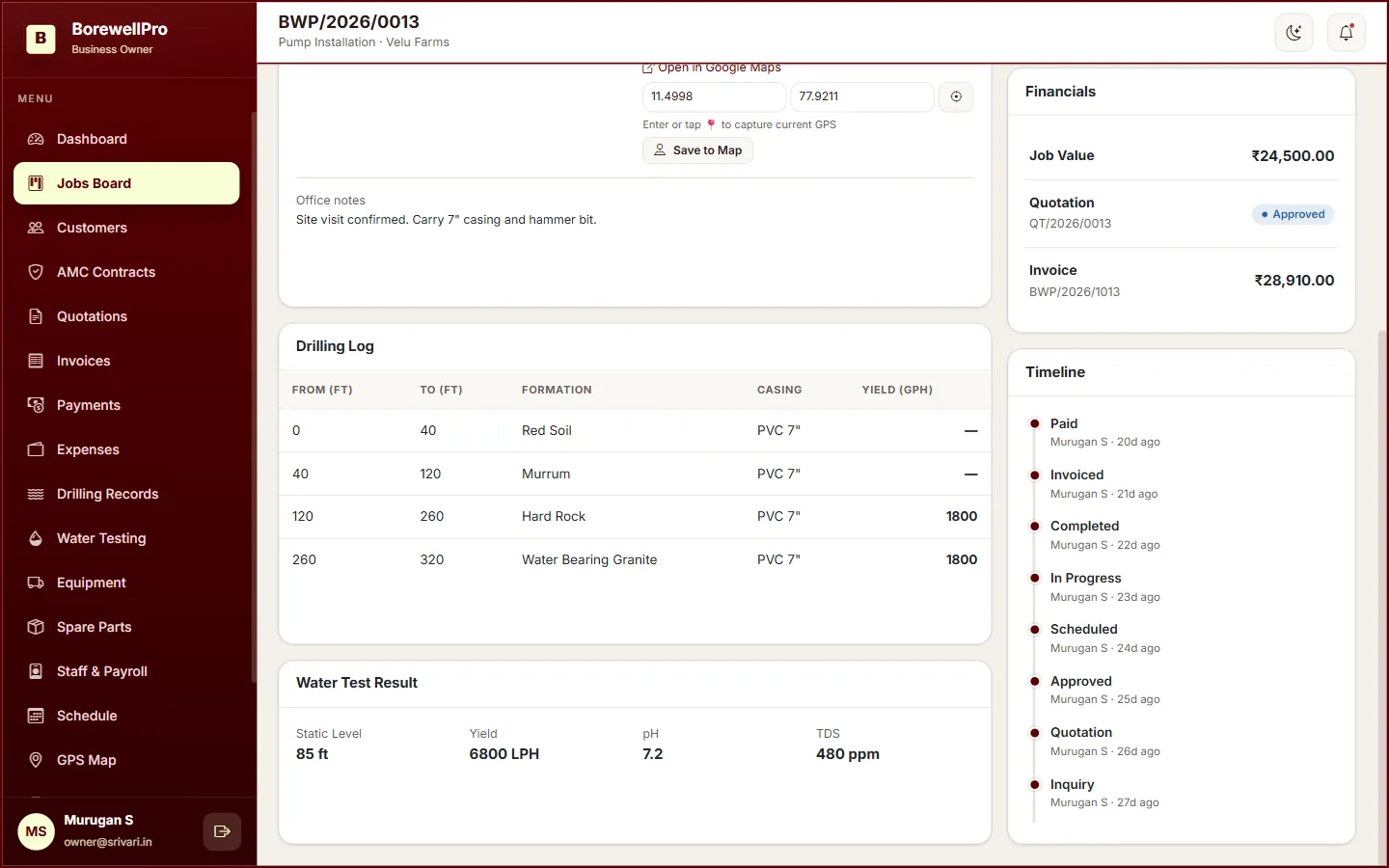
Depth, formation, casing and yield logged against the borewell job.
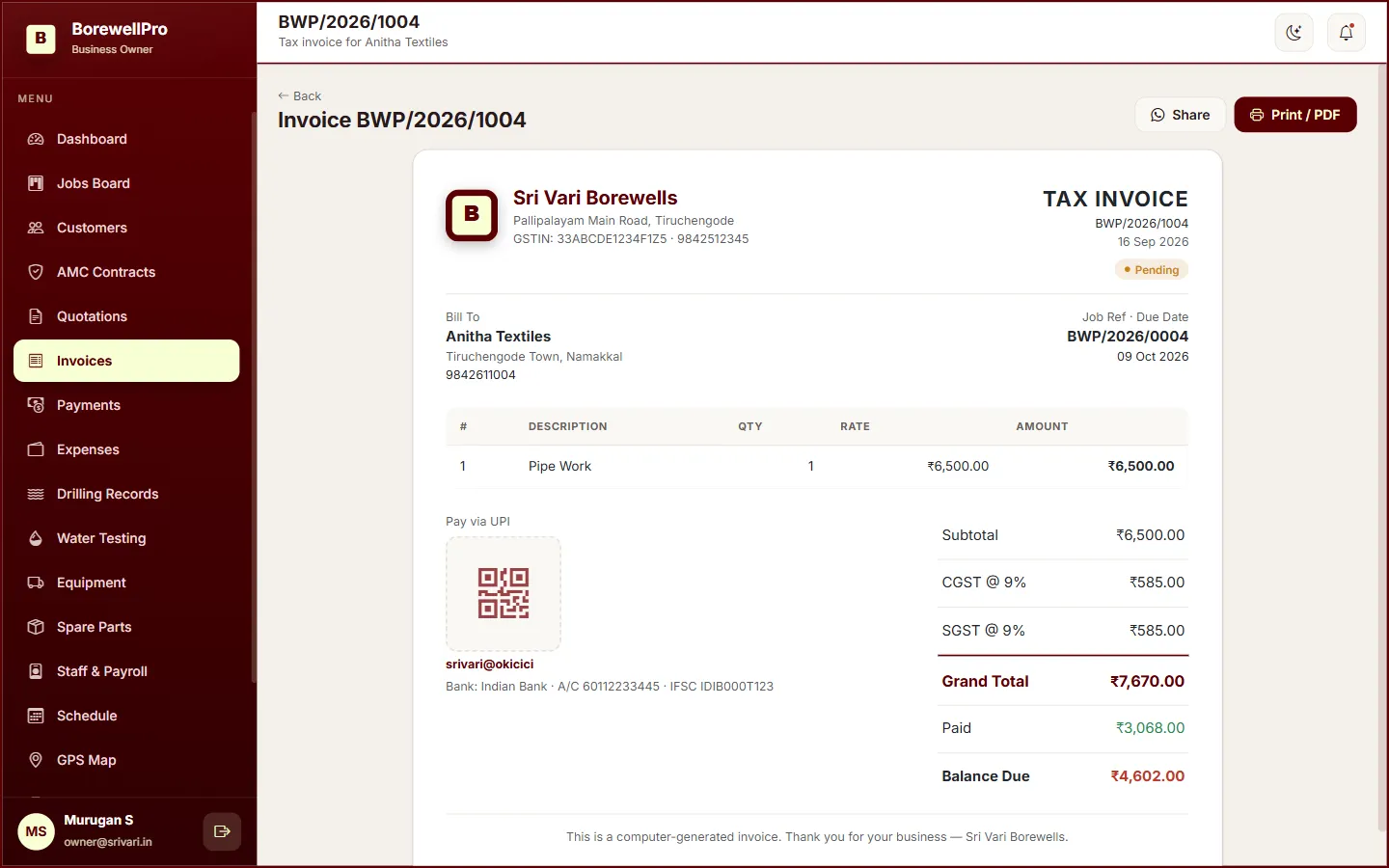
Line items, GST %, CGST/SGST split and print-ready tax invoices.
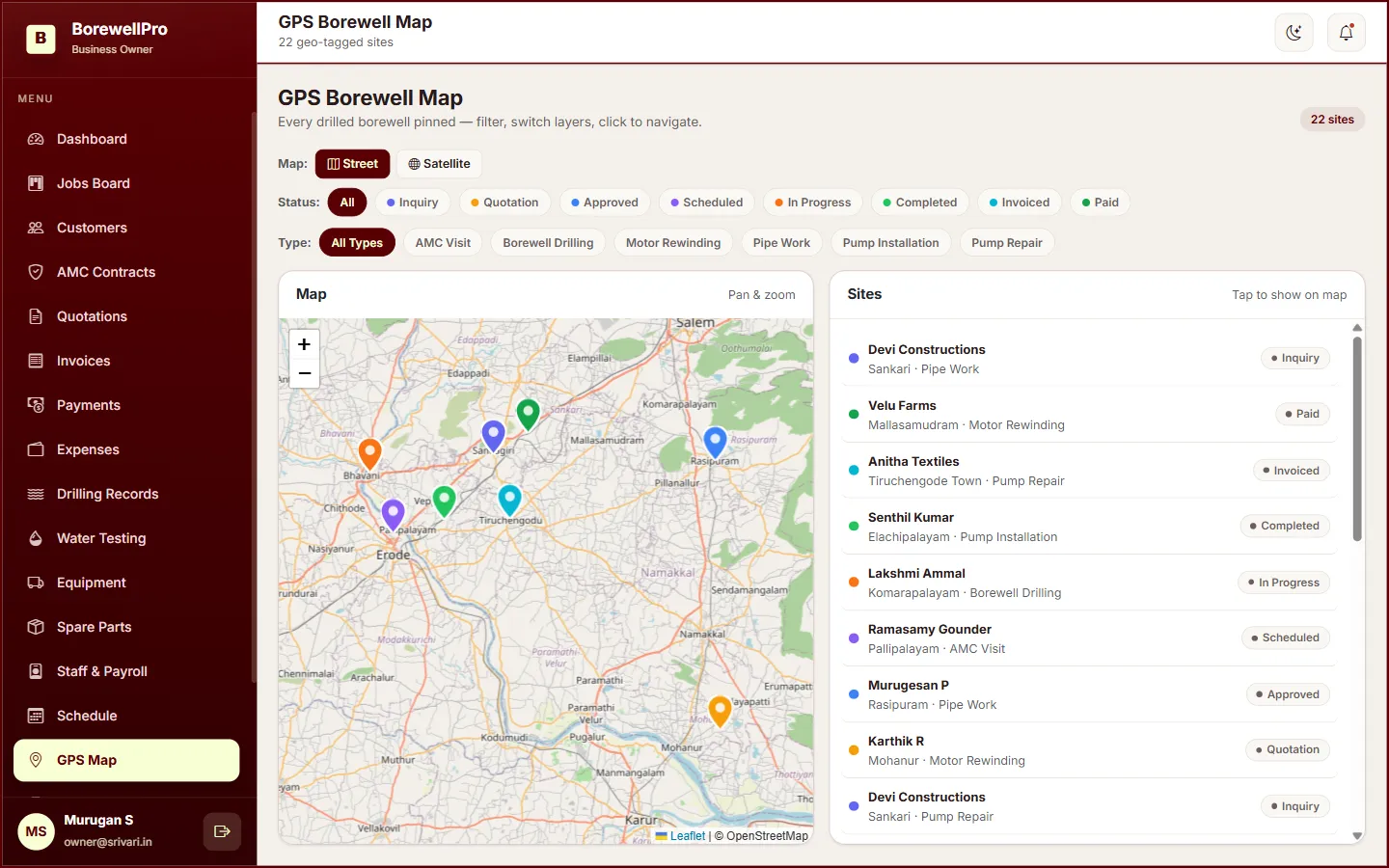
Pinned job locations on a map. Technicians check in with GPS on site.
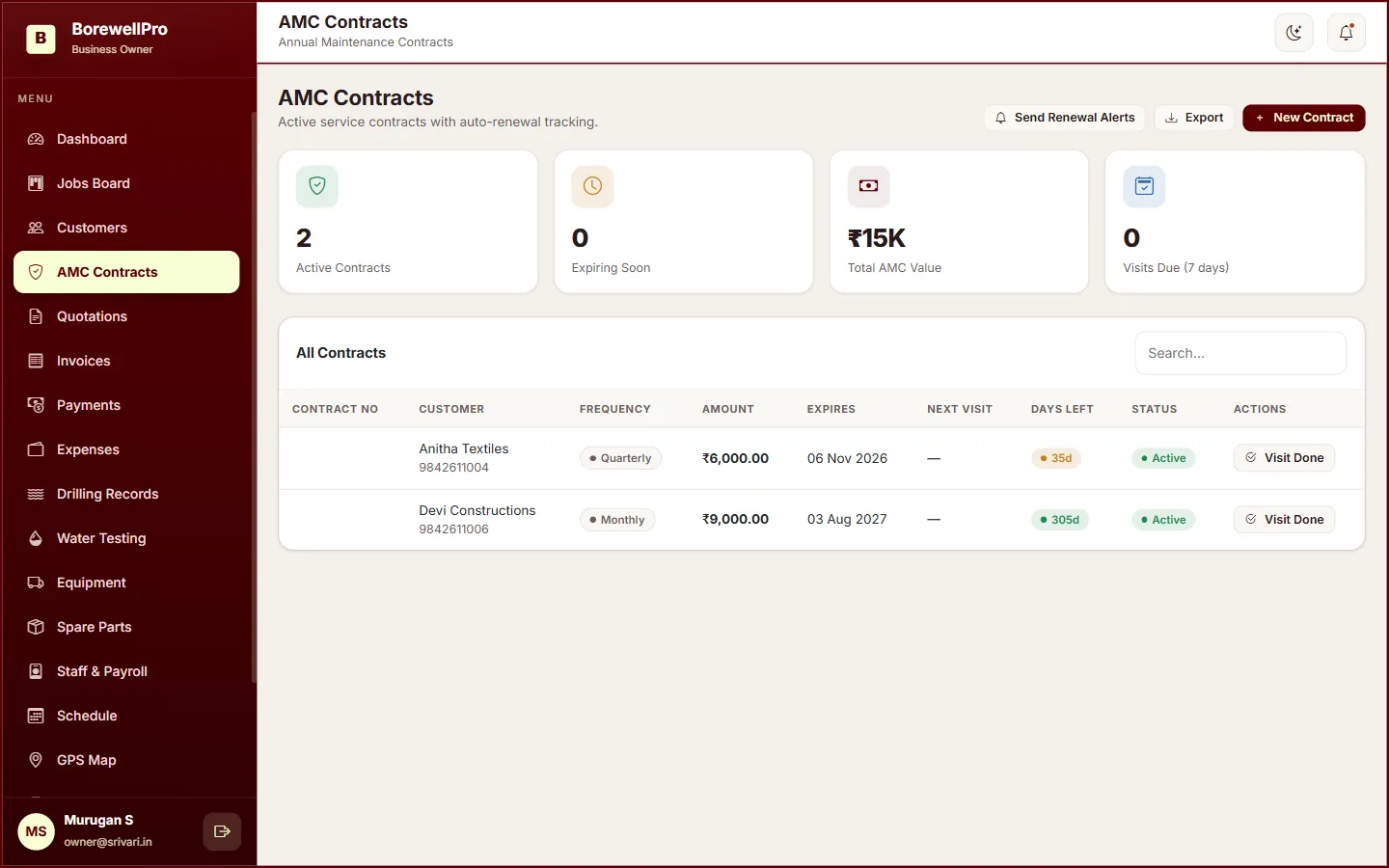
Next visit dates, 30-day expiry reminders and visit-done job creation.
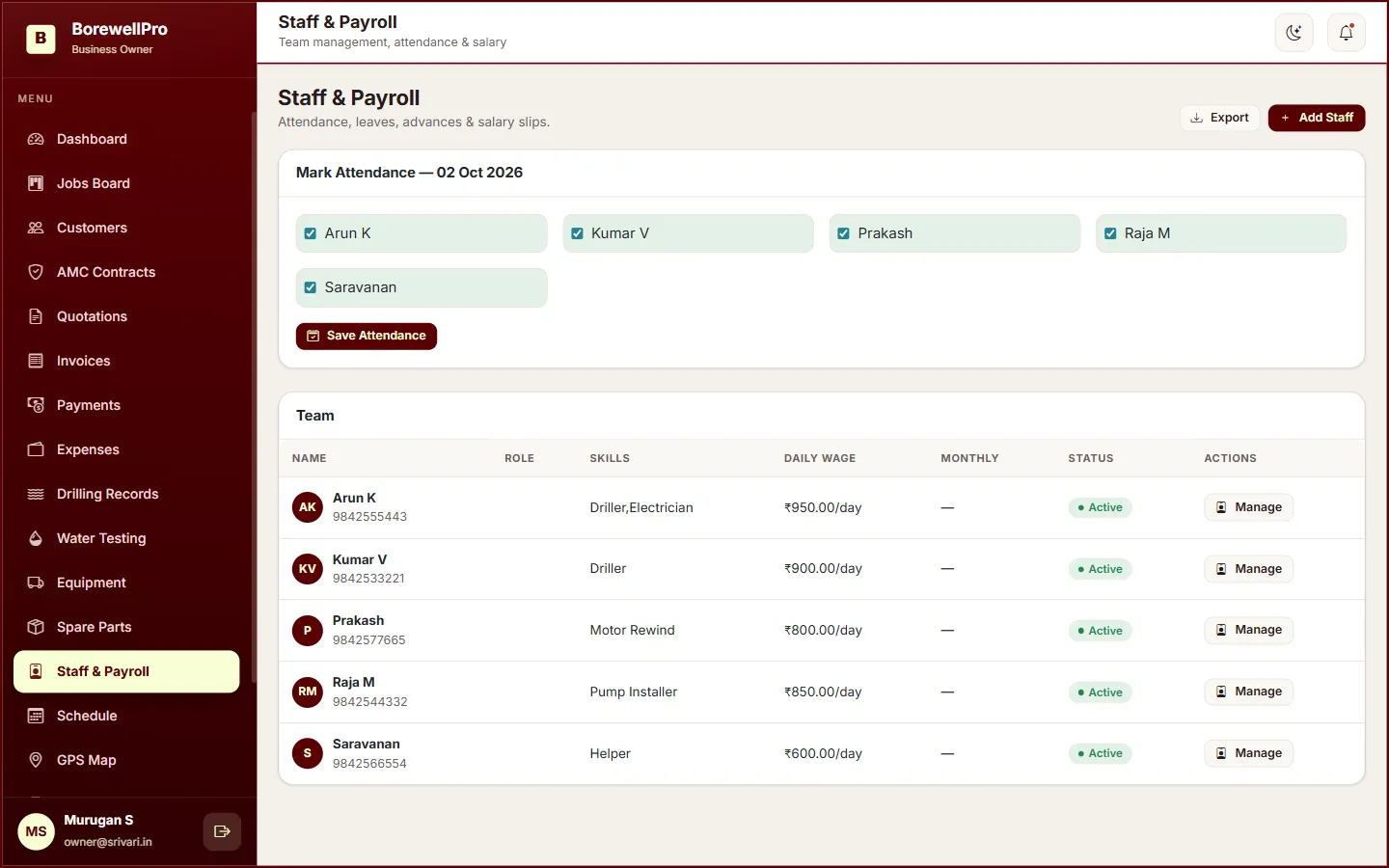
Attendance, leave, salary advances and payslips for the field team.
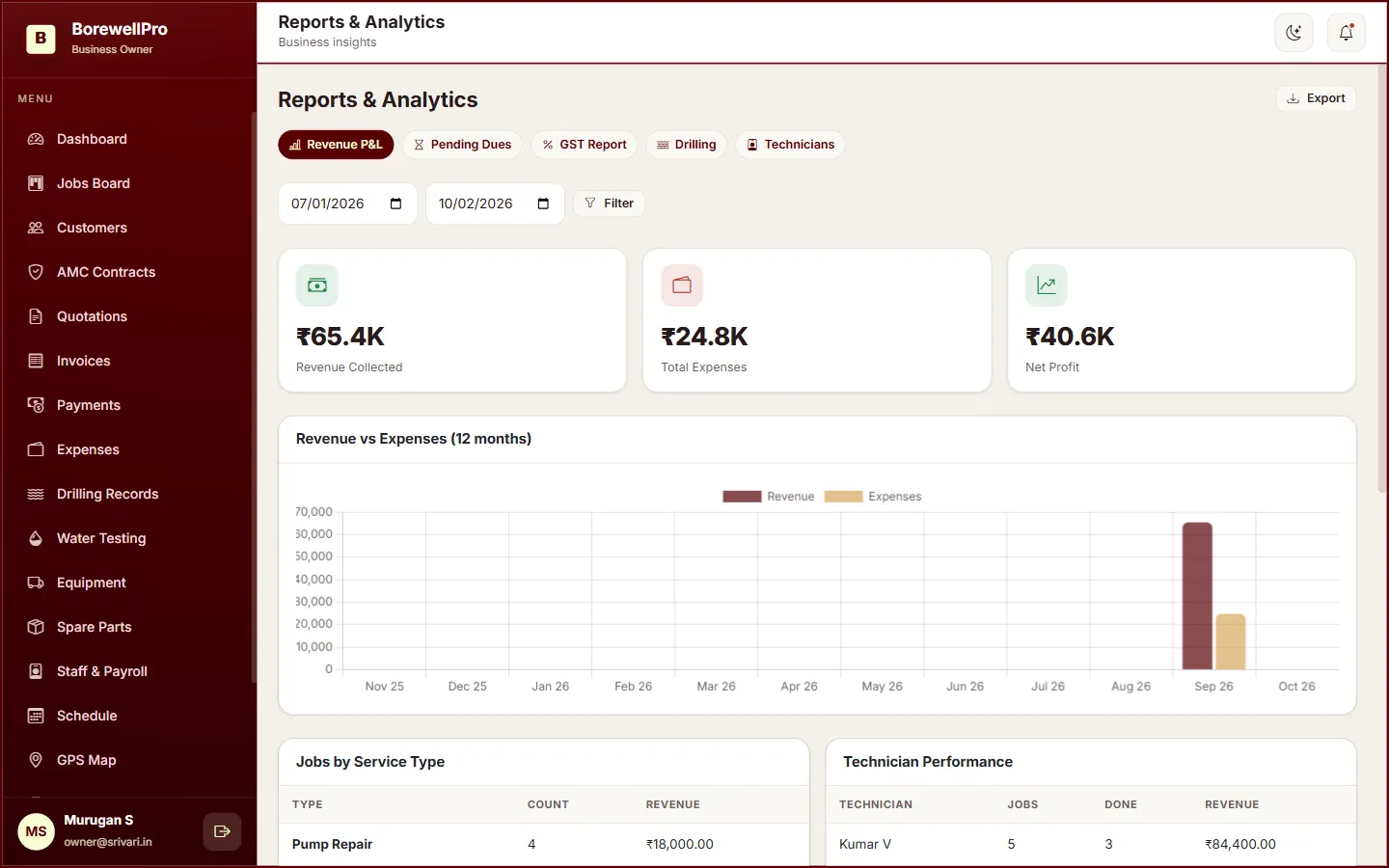
Revenue vs expenses, pending dues, GST, drilling and technician CSV exports.
Customers view jobs, quotations, invoices and raise complaints.
The problem
Most borewell businesses already know the work. The gap is the office: which job is on which rig, what was drilled, whether the invoice went out, and who is visiting whom next month.
The solution
BorewellPro puts the office and the field on the same job record. Four outcomes you can open in the live demo.
Every job has a stage, a technician, a site and a money figure — on one card.
Drilling layers sit on the job, next to the customer and the invoice.
Tax invoices split CGST/SGST. Payments are Cash, UPI, cheque or transfer.
Attendance, advances, payslips and a map of where the jobs actually are.
Core features
Only capabilities that ship in the product. If it is not in this list, we have not built it yet.
Inquiry → quotation → approved → scheduled → in progress → completed → invoiced → paid.
Customer records with service history on the same file.
Send a quote; the customer accepts or declines in the portal. Convert to an invoice.
Depth from/to, formation, casing type and length, yield (GPH), remarks.
Line items, GST %, CGST/SGST split, print/PDF. Optional UPI QR image you upload.
Cash, UPI, cheque, bank transfer. Unpaid / paid, with a pending-dues view.
Job-site pins, check-in GPS, photo GPS tags. Not a live 24/7 tracker.
Next visit, 30-day expiry banner, SMS renewal alerts, visit-done creates a job.
Attendance, leave, salary advances and payslips.
Revenue vs expenses, ageing, GST, drilling, technician performance — CSV export.
Maintenance and fuel logs, plus expenses. Spare-parts stock is included.
Jobs, quotations, invoices and complaints for the customer, on their own login.
Product
These are screenshots of the running app — the same demo you can sign into.
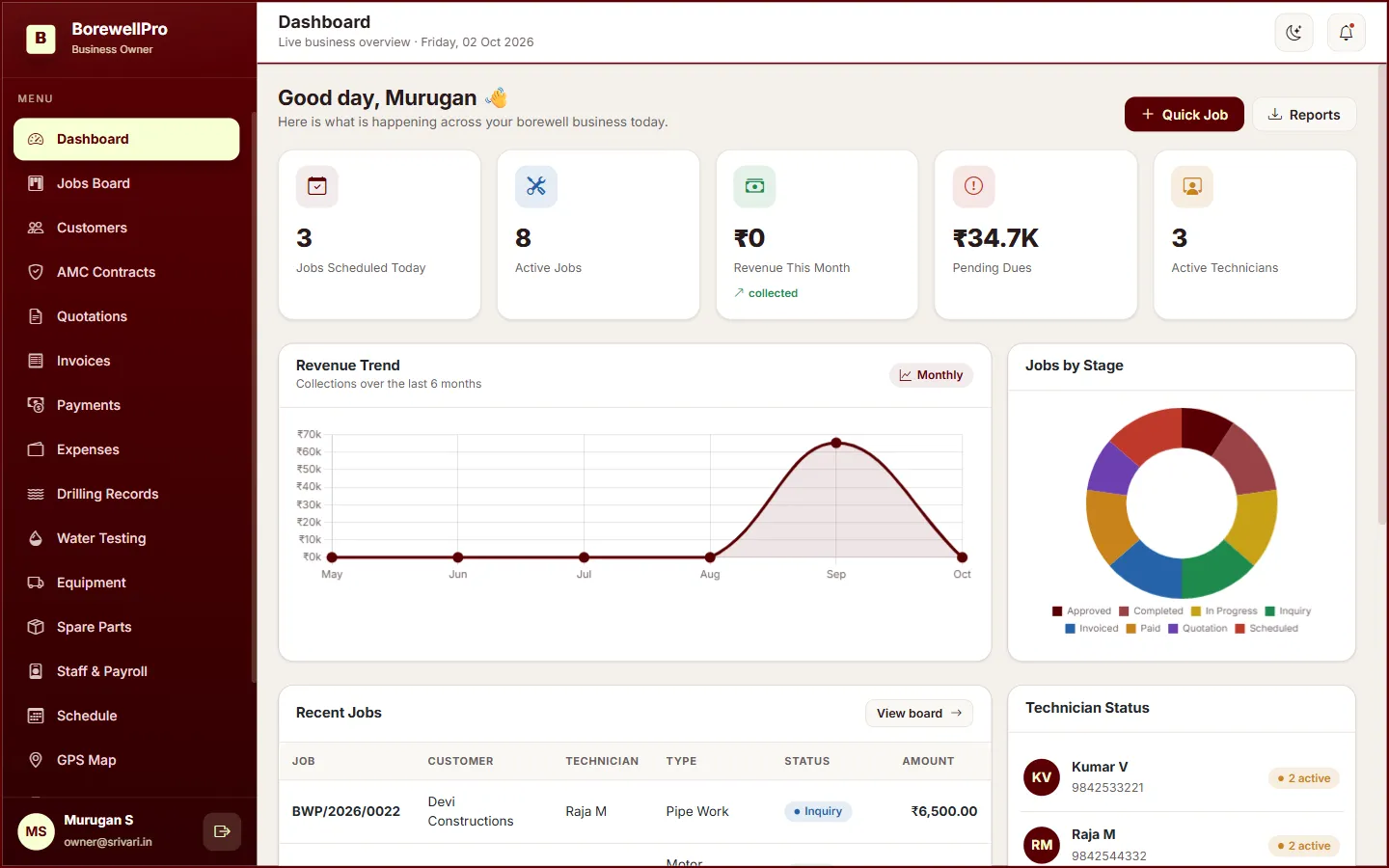
Today’s jobs, dues, revenue trend and technician status.
Inside the product
Job Management
Drilling Records
GST Billing & Payments
GPS on the Job
AMC That Reminds You
Staff, Payroll & Reports
How it works
Tell us about the business. We walk you through jobs, billing and the field app — no account is created from the demo form.
Sign up with your name, business and email. The account stays pending until an administrator approves it and assigns a license.
Once approved with an active license, the owner signs in with the license key. Technicians and customers use email and password.
Why teams switch
The site, the technician, the drilling log and the invoice share an ID. Nobody is updating a parallel spreadsheet.
The owner runs the board. The technician checks in on the phone. The customer sees their jobs without calling.
A business cannot sign in until it is approved and the company license is active. Keys do not work across companies.
Roles
Four logins. Super Admin never needs a company license. Owners type the license key. Technicians and customers do not.
Before / after
Access control
Not marketing badges — the rules the app actually enforces.
Pricing
Plan names and what they include. We will quote for your crew size on the demo — no prices are published here.
Plans are configured for each business after a demo.
Request a DemoNext step
A walkthrough of the live product. No account is created until you sign up and we approve the license.